On this page
We make Defiant, one of the apps below. That makes this a vendor's guide, not an independent ranking. We say plainly where another app is the better pick, prices and ratings come from each app's App Store listing (US, checked October 7, 2026), and the sources are at the end.
The short answer
- Separate machine history at each gymDefiant
- Separate equipment and weights per gym, Android tooAlpha Progression (Pro) or MacroFactor Workouts
- Workouts built around whichever gym you're inGravl or Fitbod
Why a second gym breaks most apps
Barbells and dumbbells are the same everywhere: 225 lb is 225 lb. Machines aren't. A leg press at one gym can be a sled with a heavy carriage, at another a lever with almost none. The "100" on two cable stacks can feel 30% apart. Alpha Progression's own documentation makes the same point: the same stack label on two machines doesn't guarantee the same resistance.
So an app that keeps one history per exercise will push you too heavy at one gym and too light at the other, and your charts will zig-zag for no reason. There are three levels of support:
- Equipment lists per gym. The app only suggests exercises you can do here. Most apps that mention gyms do this.
- Weights per gym. Your home dumbbells go up in 5 lb jumps, the commercial gym's in 2.5 lb. Targets snap to what each gym has.
- History per gym, for machines. Your leg press numbers at work stay separate from home, while barbell and dumbbell lifts still count everywhere. This is the rare one.
How the apps compare
| App | Equipment per gym | Weights per gym | Machine history per gym | Notes |
|---|---|---|---|---|
| Defiant | Yes | Yes, per machine | Yes | Free barbells and dumbbells still count everywhere |
| Alpha Progression | Yes (Pro) | Yes | Not described | Docs say to read history carefully after switching |
| MacroFactor Workouts | Yes | Increments | Not described | Allow and block lists per gym |
| Gravl | Yes | Machine ranges (by photo) | Not documented | Adapts sessions to the gym you're at |
| Fitbod | Yes | Increments for dumbbells, kettlebells and barbells | Not described | Switch gym profile from the Workout tab |
| Motra | Yes | Increments | Not described | Suggestions follow each gym's weight steps |
"Not described" means we couldn't find it in the app's own documentation or listing as of October 7, 2026, not that it's impossible. Tell us if we've missed something.
The apps, one by one
Defiant
Our appBest for separate machine history at each gym
- App Store rating
- New (launched October 2026)
- Price
- Free now; Pro $69.99/yr or $9.99/mo later. First 1,000 downloads free for life
- Platforms
- iPhone (iOS 26.1+)
- Apple Watch app
- Yes
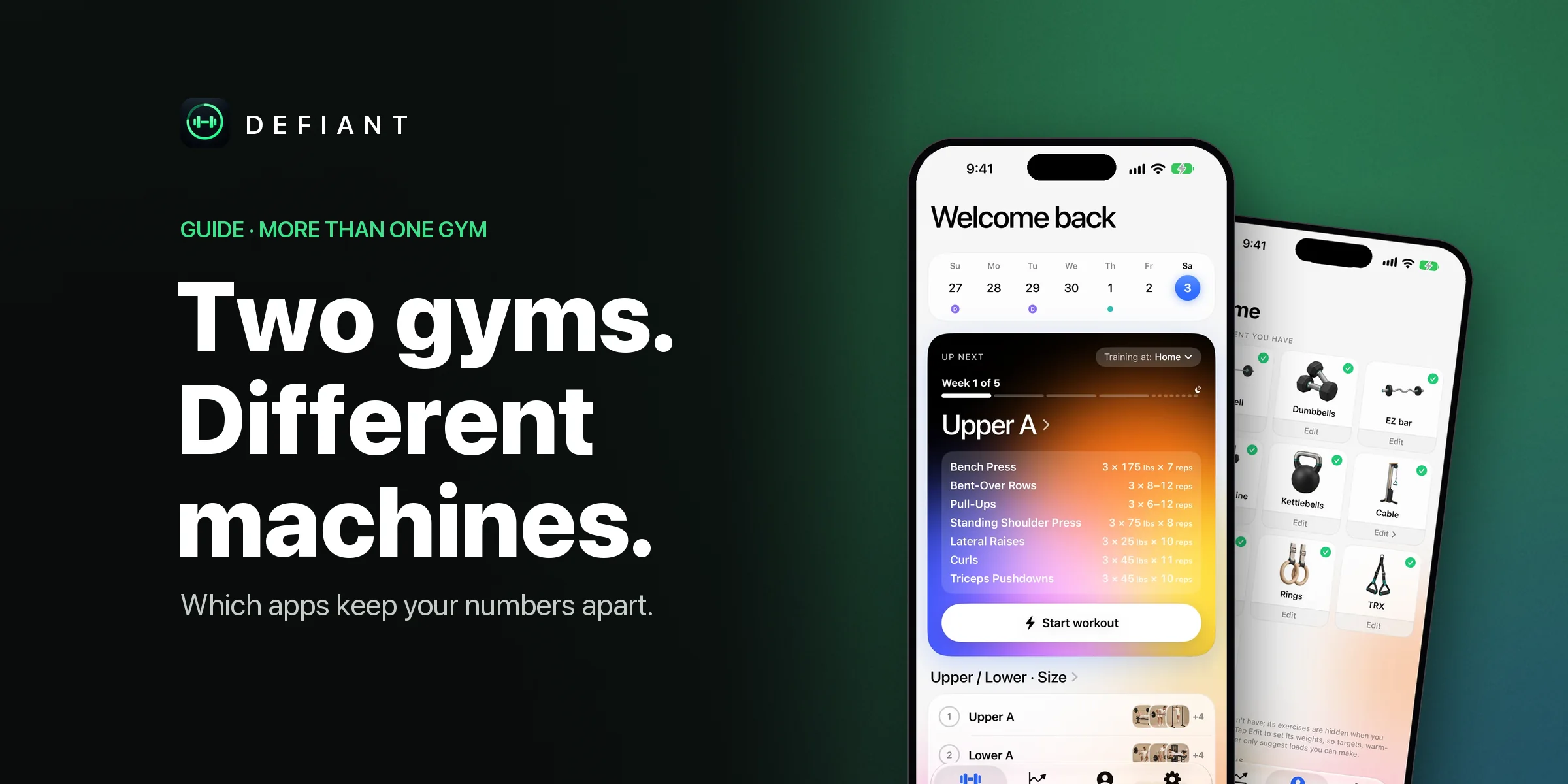
In Defiant, Profile → Gyms holds as many gyms as you like, each with its own bar and plates, dumbbells, cable stacks and 56 kinds of machines, every machine with its own weights. Pick the gym before you start (or switch mid-workout) and every target snaps to that gym's weights. Machine and Smith machine lifts keep their targets, "last time" and PRs per gym; barbells, dumbbells and bodyweight count everywhere. The first time you use a machine at a new gym, it starts about 10% lighter than where you left it elsewhere, labelled "machines vary", and has its own history from then on.
Good
- History kept apart only where it should be: machines, not barbells
- Every machine can have its own stack or plate setup
- Switch gyms mid-workout; open targets re-snap
- Turn on "Same machine at every gym" for chains with identical kit
Watch out for
- New app with no ratings yet
- iPhone and Apple Watch only (iOS 26.1+)
Pick it if you split your week between home and a commercial gym, travel, or train at two chains.
Every set gets a weight and rep target from your own training. First 1,000 downloads get Pro free for life.
Download on the App Store Scan with your iPhone
Alpha Progression
Best for equipment and weights per gym, on iPhone or Android
- App Store rating
- 4.9 (2.2K ratings)
- Price
- Free tier; Pro $79.99/yr or $12.99/mo
- Platforms
- iPhone, Android
- Apple Watch app
- No
Alpha Progression's gym profiles store the equipment and weights at each location. They control which exercises appear, what the plan generator can use, and the increments its recommendations, plate calculator and warm-up calculator work with. Multiple profiles are part of Pro.
Good
- Well-documented gym profiles
- Recommendations snap to each gym's increments
- Android as well as iPhone
Watch out for
- Multiple gyms need Pro
- Its docs don't describe separate history per gym
Pick it if you want gym profiles in a mature app, or you're on Android.
MacroFactor Workouts
Best for configurable gym profiles
- App Store rating
- 4.8 (US listing snapshot)
- Price
- $71.99/yr, $47.99/6 mo or $11.99/mo
- Platforms
- iPhone (see store for Android)
- Apple Watch app
- See listing
MacroFactor Workouts' gym profiles decide which equipment is available when it builds programs and workouts. You can edit weight increments, bands and loadable accessories, and keep allow and block lists of exercises.
Good
- Detailed equipment control
- Increments per gym
Watch out for
- No free version
- Separate history per gym isn't described
Pick it if you want fine control over what each gym's programs can use.
Gravl
Best for sessions shaped around where you are
- App Store rating
- 4.9 (378 ratings, Canada)
- Price
- Free to start; Premium about $79.99/yr or $14.99/mo
- Platforms
- iPhone
- Apple Watch app
- Yes, standalone
Gravl asks where you train and adapts sessions to your equipment, schedule and recovery. Recent releases added custom equipment in gym profiles and weight ranges for selectorized machines identified from a photo.
Good
- Adapts each session to the gym
- Standalone Apple Watch app
Watch out for
- Per-gym machine history isn't documented
- Less suited to a fixed program
Pick it if you'd like each day's session planned around the gym you walk into.
Fitbod
Best for generated workouts at any gym
- App Store rating
- 4.8 (287K ratings)
- Price
- Free trial; $95.99/yr or $15.99/mo
- Platforms
- iPhone, Android
- Apple Watch app
- Yes
Fitbod lets you create several gym profiles, each with its own equipment list, and set the weight increments you have for dumbbells, kettlebells and barbells. It then builds workouts from the profile you pick.
Good
- Several gym profiles, switched from the Workout tab
- Zero planning
- Large exercise library
Watch out for
- Separate history per gym isn't described
- Hard to follow a fixed program
Pick it if you want a fresh generated workout wherever you are.
Motra
Best for per-gym weight steps
- App Store rating
- See listing
- Price
- See listing
- Platforms
- iPhone
- Apple Watch app
- See listing
Motra's gym builder records each gym's equipment and the individual weight increments that exist there, so suggestions never ask for a plate your gym lacks. You choose the gym when generating a workout.
Good
- Precise increments per gym
Watch out for
- Smaller app; check the listing for current details
Pick it if exact per-gym weight steps matter most to you.
Tips for training at two gyms with any app
- Name machine exercises by gym if your app keeps one history per exercise ("Leg Press (Home)").
- Keep your main barbell lifts at one gym if you can; they're the easiest to compare.
- The first session on a new machine is a calibration day. Start lighter and let the numbers settle.
Questions
Which workout app supports multiple gyms?
Defiant, Alpha Progression (Pro), MacroFactor Workouts, Gravl, Fitbod and Motra all let you set up more than one gym. They differ in depth: most change which exercises you see; fewer change the weights; Defiant also keeps machine history separate at each gym.
Why are my machine weights different at another gym?
Machine stacks and sleds aren't standardized. Pulley ratios, cam shapes and carriage weights differ between brands and even models, so the same number on the pin can mean a very different load.
Should barbell lifts be tracked separately per gym?
Usually not. A barbell squat is the same lift anywhere, so splitting its history throws away useful data. That's why Defiant only splits machine and Smith machine lifts by gym.
Can I switch gyms in the middle of a workout?
In Defiant, yes: the ⋯ menu's Gym moves the workout, machines you haven't started get fresh targets from that gym, and every open target re-snaps to its weights.
Is multi-gym support free?
In Defiant it's included. In Alpha Progression, multiple gym profiles are part of Pro.
Weight and reps for every set, worked out from your own training. iPhone and Apple Watch. First 1,000 downloads get Pro free for life.
Download on the App StoreScan with your iPhoneSources
- Alpha Progression glossary: Gym profile
- MacroFactor help: Set up your gym profiles
- Motra help: Gym builder
- Gravl on the App Store (release notes)
- Fitbod: Your gym profile
- Fitbod help: App features
- How Defiant handles several gyms
Defiant isn't affiliated with or endorsed by any app on this page. Spotted something out of date? Email [email protected] and we'll fix it.